Members & Access
The Members & Access section controls who can access your Flash Platform account and what level of visibility they have. It allows companies to securely manage users, assign access, and maintain control over operational activity within the platform.
A structured user setup ensures the right people can monitor performance, manage transactions, and respond to issues, while keeping access limited and secure.
Access Requirements
Company must be integrated to v4 API Production
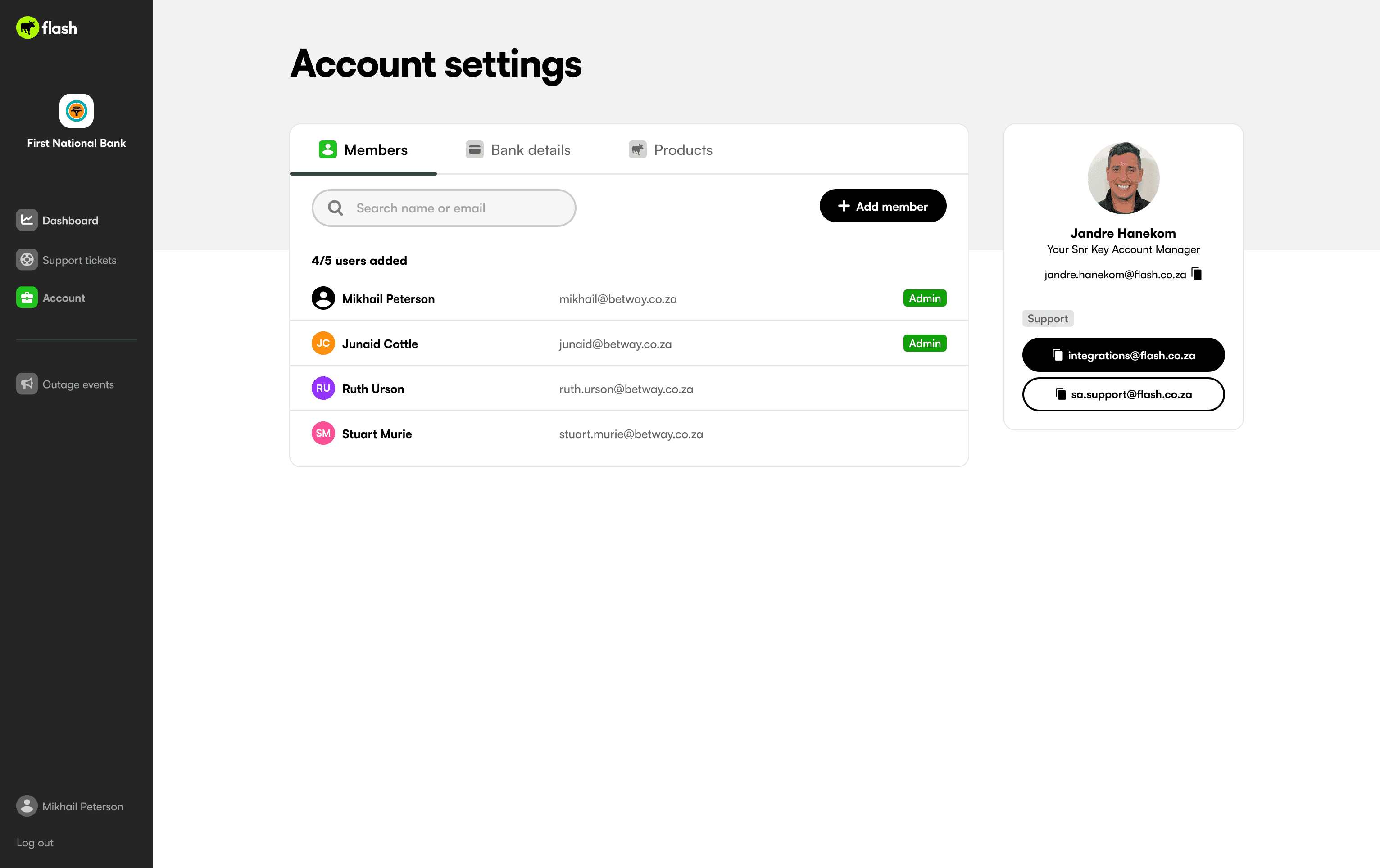
Maximum users per company: 5
1 Main Member
4 Support Members
Main Member Setup
The Integrations team loads the Main Member once the company is live on v4 API production.

Requirements:
Name
Email address
The Main Member receives:
Welcome email
Temporary password
Login URL
They must reset their password on first login.
Adding Support Members
The Main Member can add up to 4 Support Members.

Steps:
Navigate to Account
Select Add Member
Enter Name and Email
Confirm
Support Members receive a welcome email and must reset their password.
Once 5/5 users are added, the Add Member button will be disabled.
If additional users are required, contact your KAM or Support.
Resetting a Password

If a Support Member forgets their password:
Navigate to Account
Select the relevant user
Select Reset Password
Confirm
A confirmation message will display.
Deactivating a Member

A Support Member can be deactivated if access is no longer required.
Navigate to Account
Select the user
Select Deactivate Account
Confirm
The user will no longer be able to log in.
The user count reduces by one, allowing a replacement to be added.
If a Main Member change is required, contact Support.
Next section:
Flash Group 2026 | All right reserved
Terms & Conditions
Privacy Policy
Cookie Policy
